A 64-bit OS written from scratch: its own UEFI bootloader, kernel,
window system and TCP/IP stack, with an OS-level AI layer that can operate apps and,
with your consent, build new ones. The kernel's riskiest parsers are being rewritten one
by one in memory-safe Rust, with every advisory that work turns up published in the open.
It boots on real hardware other systems have left behind, a 2013 iMac included, and it
still runs Windows 3.1 / Win16 and DOS software on the side.
Designed to be asked for, through a native chat interface:
Apps
Widgets
Drivers
UI Improvements
Themes
Automations
Apps and widgets: generated, compiled and run, proven today. Drivers:
the same pipeline's next target, gated on consent, not yet proven end to end. See
how it actually works.
Every layer was written for this OS, then taught to reprogram
itself, to close in on memory safety in the open, and to run on hardware other
operating systems have stopped supporting.
[AI] An AI that can extend the OS
Every app publishes a machine-readable tool contract that a built-in AI chat can read and
call. Describe a small app or widget in plain English and it can be generated, compiled and
run on the desktop, every action scoped by a capability token, gated on your consent, and
written to an audit trail.
[HW] Revives hardware other OSes gave up on
A native xHCI/USB, PS/2, ATA/AHCI and PCI driver stack means MayteraOS boots to a working
desktop on real, deprecated machines, not just a VM: its reference target is a 2013
iMac 14,4, booting entirely from a USB stick.
[RS] A memory-safe core, audited in the open
Security-critical parsers are ported one at a time and differentially tested against the C
original under AddressSanitizer before they ship. Then we audit our own port and publish what
the audit finds, including the places our own extraction drifted. The port has already found
and closed 12 memory-safety advisories, published with build numbers at
/security.
[||] Real systems engineering
Symmetric multiprocessing on by default, verified stable to 16 cores, with the kernel's
single global lock narrowed piece by piece; a from-scratch TCP/IP stack
with TLS 1.3 and HTTP/2, ext2 + FAT32 filesystems, SSH, and drivers down to
USB-Ethernet and USB audio, all under one roof.
// the strangest part of the OS
An AI layer built into the operating system.
Not a chatbot bolted on top. Every app on MayteraOS publishes a
machine-readable tool contract, and an AI chat assistant reads those contracts to operate
the desktop, and even build new pieces of it, entirely under a capability-token and
consent system you control.
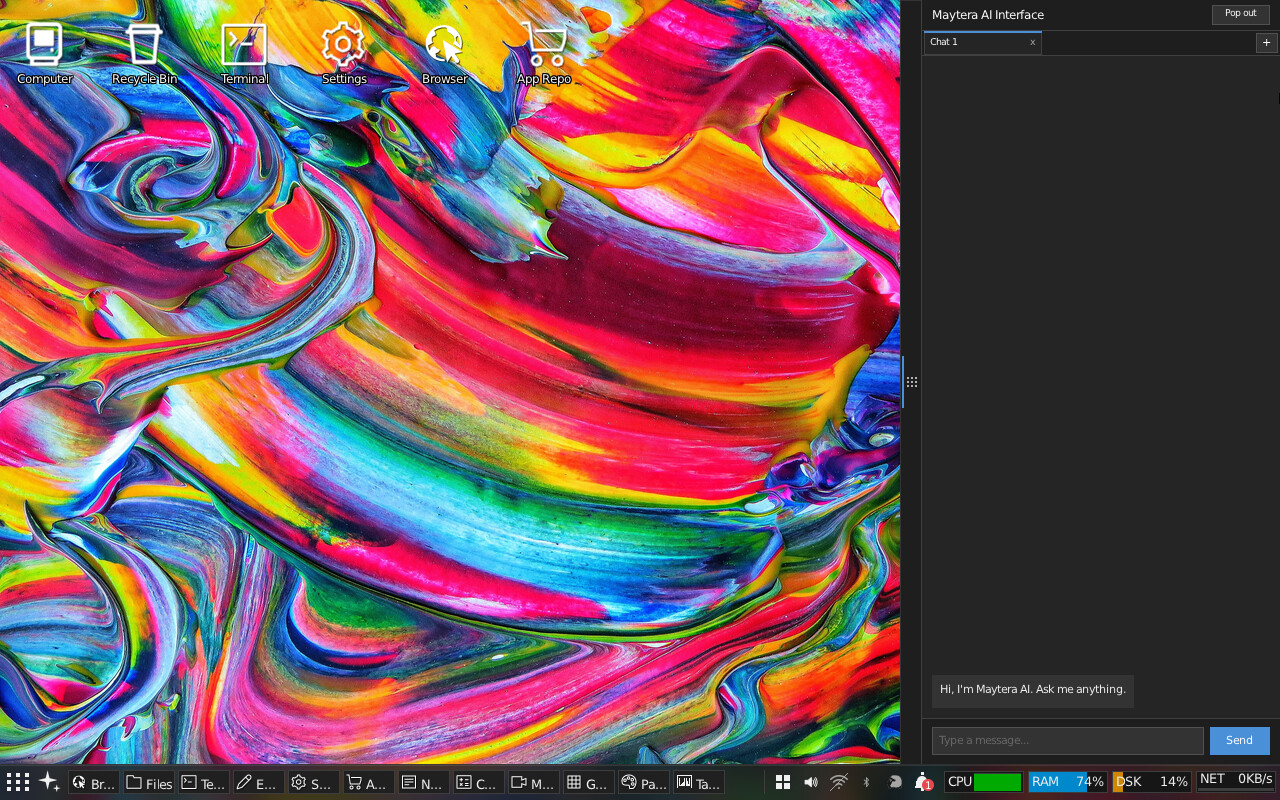
aichat
The assistant panel, docked on the desktop, ready for a request.
Describe it. It gets built.
Each app and widget ships a YAML tool contract describing what it does and what it can
be asked to do. The assistant reads a lightweight index of these contracts, then calls
them through a loop of actions and observations: reading files, opening the browser,
changing a setting, much like a careful, very literal user.
Ask it to build something and it can generate real source code, compile it, and launch
the result as a running window on your desktop, with no code shown to you unless you ask
to see it. In a verified run, the request “build me a tip calculator”
produced a small, correctly-computing app from a single plain-English sentence.
Capability tokens: scoped, time-bounded grants for each action, from reading a file to compiling and deploying code
A consent prompt on every meaningful action, naming exactly what is being requested
Every grant, denial and action is written to an append-only audit log
Unrecognized or unscoped requests fail closed by default
PROVEN TODAY
Reading files and system state, operating apps on request,
and generating, compiling and running a new small app from a plain-English description,
all through the capability/consent/audit gate above.
STILL AHEAD
Asking the AI to revise an app it already built, in
conversation, is designed for but not yet proven end to end; today's compile step runs on
a separate build machine rather than on the device; and the capability gate currently lives
in the userland AI client, with kernel-level enforcement as a protected, un-editable core
planned as follow-on work. The same generate-compile-run pipeline is meant to extend to a
first attempt at a device driver for hardware that has none, under the same consent gate;
that specific case is a design goal, not yet a proven end-to-end run.
The bet: an OS that can extend itself from a plain description, with the
permission model designed in from day one instead of retrofitted. Read more in
Features.
// rewriting the risky edges
A kernel rewriting its own parsers in Rust.
Not a rebrand. MayteraOS ships a growing memory-safe Rust core:
the security-critical, input-facing parsers that historically cause the worst bugs are
ported one at a time and differentially tested against the C original under
AddressSanitizer before they ship, with a plain-C hardening fix landing alongside so
builds without the Rust subsystem enabled are protected too. Every shipped seam has since
been re-audited against its pre-port original, and we publish what that audit found,
including where our own extraction drifted.
Ported so far: the IP/TCP/UDP checksum routines, SHA-256, the ext2 directory parser
(read and write), GPT/MBR partition-table parsing, the DHCP client, the ELF loader, FAT
long-filename parsing, PNG and JPEG decoding, the TLS handshake, HTTP chunked-transfer
decoding, HTTP/2 framing, AAC/M4A audio decode, WAV parsing, extended-attribute parsing,
the NFS/XDR client, USB Audio Class descriptor parsing, and Ed25519 signature verification.
Two userland apps have followed the same path: the RSS reader now runs on a Rust feed
parser, and Task Manager runs on a Rust data core.
By the numbers: ≈2,281 lines of C replaced by ≈5,168 lines of Rust across
39 kernel components in 7 subsystems (crypto, net, fs, exec, gui, media, drivers). Read
against an honest denominator, that is roughly 0.61% of the kernel's ≈376,000
lines of C/H/ASM, smaller than before not because the Rust share shrank, but because a
separate cleanup pass deleted tens of thousands of lines of unreachable C (see the
changelog). This is the untrusted-input parser, crypto and loader
tier, done thoroughly; it is not a wholesale rewrite, and the kernel remains overwhelmingly C
by design. Performance is a wash: measured cycles-per-operation land roughly a third faster, a
third at parity and a third slower than the C it replaced, mostly FFI and bounds-check overhead
on cold, once-per-file or once-per-connection paths. The Rust port was never sold as a speed
project; the payoff is the advisories below.
We audited our own port, and we publish what it found. All 36 shipped seams have been
re-checked against their pre-port C original under a three-way oracle across roughly 25
million differential vectors, because “we lifted the C verbatim” is a claim, not a
proof. Equivalence to the original C holds for 29 seams, several proven by byte-identity of the
extracted code rather than by testing alone. It does not hold for three (the DHCP, ICMP
and MP4 parsers), where the shipped Rust accepts slightly more than the C did on inputs our own
self-tests could not express: low security impact, but they were labelled as confinements and
they are not, so the labels were wrong. Three more (the ELF, PE and TLS seams) are deliberately
stricter than the code they replace. And two of our extracted C references drifted from the
original, so they are not a faithful rollback target. All 12 advisories were re-witnessed and
all 12 remain valid; three carried wording errors, now
corrected in the open.
12found by the Rust port
6out-of-bounds writes
6reads / null-deref
4remote
2285current fixed build
PROVEN TODAY
The Rust port itself found all 12 of these advisories: real out-of-bounds reads and
writes in the C parsers, several remote and pre-auth, surfaced by porting each parser and
differentially testing the new Rust code against the old C code on hundreds of thousands of
inputs under ASan. Ten are confined by the Rust; two were fixed in plain C, and are credited
that way rather than to the port. Each is published with a CWE class, severity, affected
build range and fixed build at /security, the day it was fixed,
not after the fact.
STILL AHEAD
Most of the kernel is still C. The port is ordered deliberately: crypto hashes and
parsers first, then data structures, then drivers, with core kernel primitives last.
Ports of code already proven correctly bounded (inflate, ARP, DNS, URL parsing, ExFAT,
BMP) are defense-in-depth only and are not counted as advisories, since no reachable
defect was found in them.
Signed OTA updates: updates.maytera.net is a live update and
package server. It serves a signed manifest and a package index, so a MayteraOS install can
check for and fetch updates over the network with the manifest's signature verified rather
than trusting a bare download. The manifest's advertised build number moves as new images are
cut, so it is deliberately not quoted here to avoid going stale; see
Downloads for the live server and its current manifest.
// inside the desktop
A desktop you actually want to use.
A userland compositor with translucent glass windows over an animated,
window-reactive wallpaper, drop shadows, a taskbar, desktop widgets and live themes, all in a
CDE/Motif aesthetic.
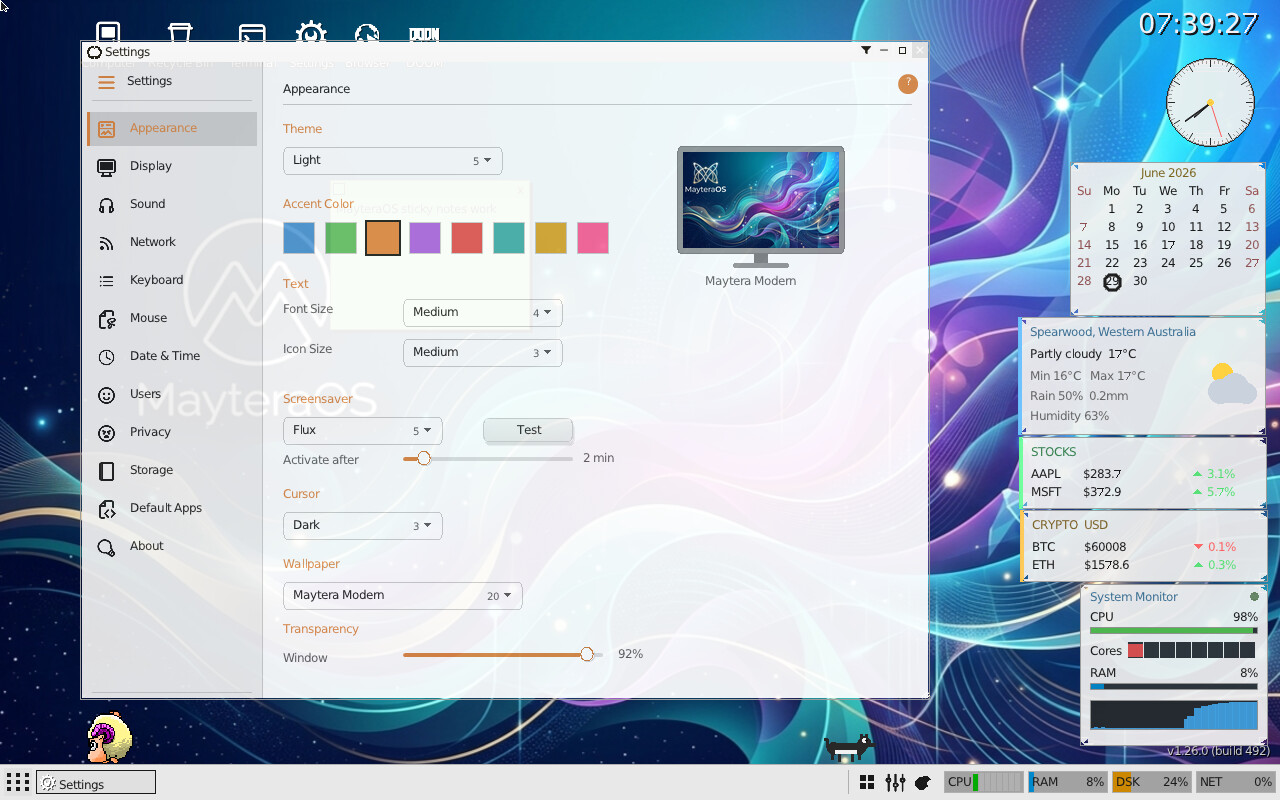
A real settings application with live-applied themes, wallpaper, display resolution,
fonts, date and time, users, networking and a screensaver picker.
Multiple themes, from a retro UNIX look to modern light and dark
Beveled widgets with TrueType text
Per-setting changes apply immediately, no reboot
Display scale follows the real panel: it is derived from the live framebuffer
resolution, so a 3840×2160 screen starts at 200% and a 1920×1080 screen
starts at 100%, with a boot-partition override for the rare case where the UI is too
small to reach Settings and fix it yourself
Maytera Studio
Maytera Studio's own splash art. The editor itself is a windowed desktop app, not shown here.
A GIMP-class image editor, with an LLM built in
Maytera Studio is being built out to GIMP 3-class scope: selection tools, layers,
curves and a growing filter registry (blur, distort, noise, light and shadow effects),
tracked openly against that goal rather than declared finished early. What sets it apart
is that the AI is not a plugin bolted on after the fact: a native LLM sits in the app to
orchestrate edits and analyze images over the network.
Core paint, selection and color-adjustment tools, plus an expanding filter catalog
A native LLM for edit orchestration and vision analysis, not a separate chat window
Freestanding and integer/fixed-point under the hood, like the rest of the desktop
MayteraOS also runs software from other eras on the side: Windows 3.1
/ Win16 NE applications through a KERNEL/USER/GDI translation layer with 16-bit OLE2/COM,
a DOOM port on id Software's own engine source (bring your own DOOM.WAD), and a growing DOS
compatibility layer. Command & Conquer: Red Alert is playable end to end, intro through the
first Allied mission, with a working sidebar, map scroll and unit selection; Discworld II
reaches its animated main menu. Commander Keen, SimCity, Monkey Island (with working FM music),
NetHack, SkyRoads, Stunts and The Incredible Machine all run. Bring your own copies; MayteraOS
does not include or distribute any of them. See Features for the
full compatibility layer.
// it comes with software
Things to actually do.
AI Chat
Browser
Terminal
mvi
Files
Text editor
Calculator
Maytera Studio (image editor)
Image viewer
Music player
IRC client
Solitaire
Rogue
DOOM
Maytera Squadron
Pong
Settings
Task manager
Device manager
Disk Manager
SSH
Python
Screensavers
Installer
Help
The Python app is a MicroPython port with MayteraOS-specific
os, socket and maytera window/file/network modules; mvi
is a terminal vi. Maytera Squadron is an original side-scrolling shooter built for the OS. Two
ported first-person shooters, AssaultCube and OpenArena, have run with real 3D rendering in
development builds but are withheld from the current public repository and release pending an
open-source license compliance pass; see Licenses.
// not mockups, the real framebuffer
Screenshots.
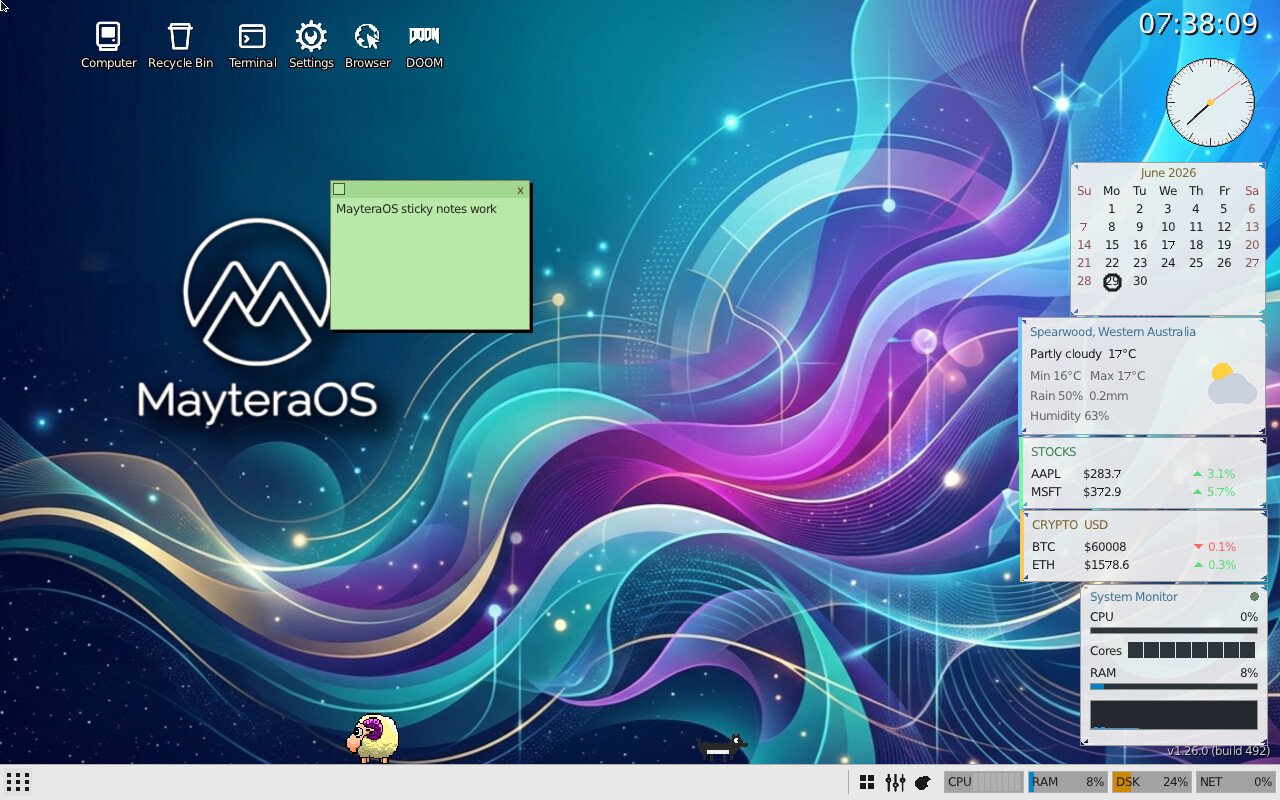
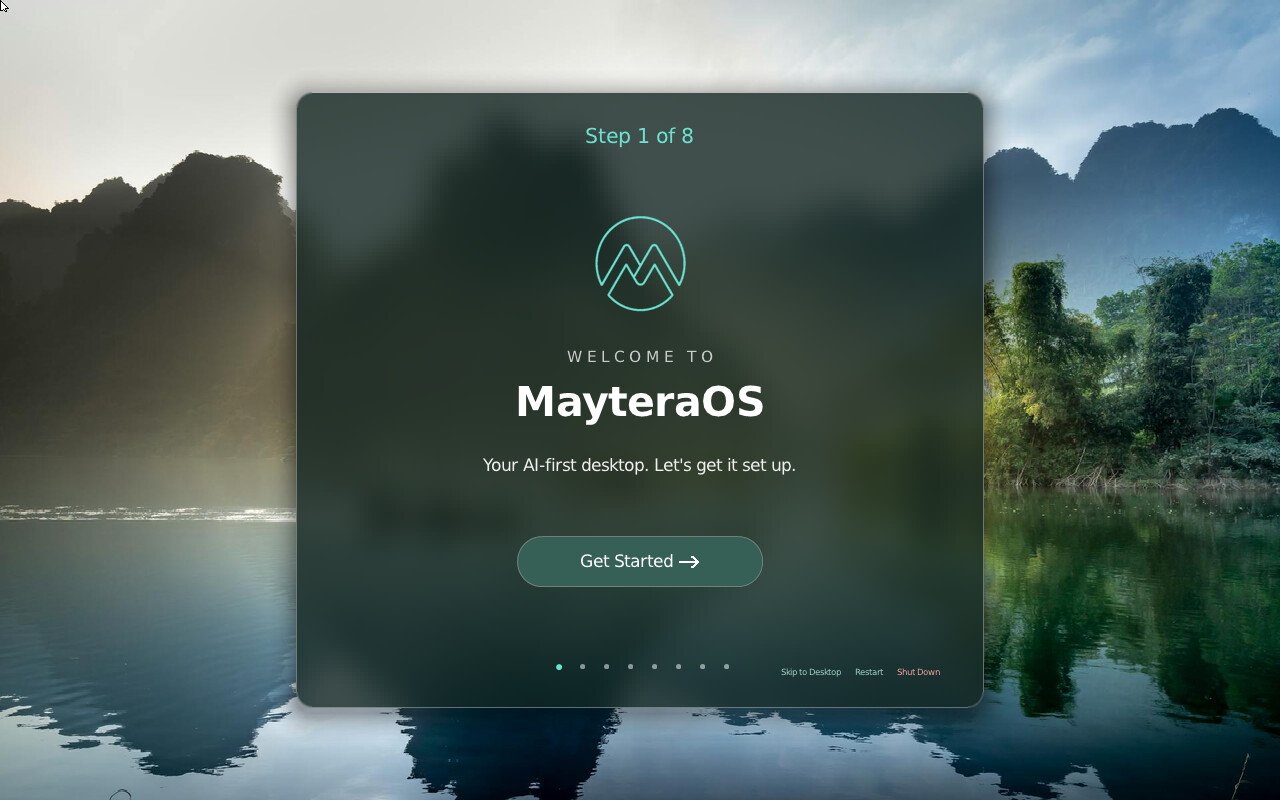
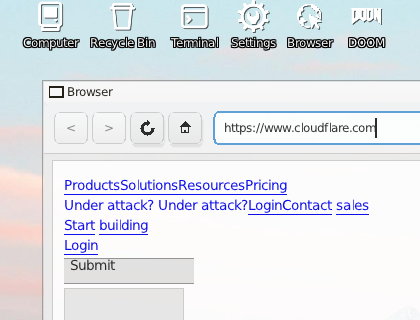
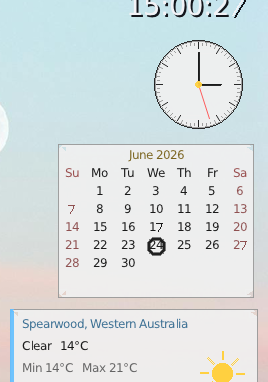
The current desktop and its first-run welcome screen, read directly off
a real framebuffer.
desktop · Fluent Dark theme
first boot · welcome
browser · HTTP/2
desktop widgets
Captured from a throwaway VM booting a byte-identical copy of the
current golden image, driven through its own deterministic test-input channel rather than a
mockup: no image here is edited beyond a crop. These are static images, not video.
More screenshots »
// what it needs
System requirements.
MayteraOS runs comfortably on modest hardware, virtual or real, and
its driver stack has grown well past the original bring-up boxes.
Minimum
Recommended
CPU
1 core, x86-64, UEFI firmware
2+ cores; SMP is on by default
RAM
512 MB
2 GB (comfortable headroom for the desktop, apps and browser)
Graphics
UEFI GOP framebuffer (any GPU it enumerates)
same
Storage
≈1 GB, USB / IDE / SATA / virtio
AHCI/SATA or virtio-blk
Input
PS/2 or USB HID keyboard and mouse
same
Network
optional
e1000, virtio-net, or USB-Ethernet
Driver coverage: UEFI GOP framebuffer · USB xHCI with HID (keyboard/mouse), Mass
Storage and hub support · USB-Ethernet (CDC-ECM/NCM, ASIX AX88179/772) ·
USB Audio Class DACs and Intel HD Audio · PS/2 keyboard and mouse ·
ATA/IDE and AHCI/SATA · e1000 and virtio-net · PCI enumeration ·
ACPI shutdown · multi-core SMP, 1–16 cores.
Real-hardware target: a 2013 iMac 14,4 boots to a working desktop
from a USB stick, keyboard and trackpad included.
Run MayteraOS.
It boots on real UEFI hardware and in a virtual machine. Point an OVMF
firmware at the disk image and go.
Tip: machine type pc (i440fx) gives the legacy IDE path the ATA driver expects. SMP is on by default on 2+ cores; drop an empty /NOSMPSCHED.TXT at the root of the ESP to force single-core.
# QEMU, UEFI firmware, one disk image
qemu-system-x86_64 \
  -machine pc -m 2048 -smp 16 \
  -bios /usr/share/ovmf/OVMF.fd \
  -drive file=maytera.img,format=raw